Pokémon Emerald in your browser — with a ROM you supply
Pokémon Emerald is the 2004 Game Boy Advance release that fans keep pointing new players at, and the reason is not nostalgia: every Pokémon generation gets a definitive cut — a later version folding the original pair into a better-shaped game — and Emerald is widely considered the best of those cuts. And yes — it runs here, saves and all. The player reads your own .gba file locally in your browser: drag it in, press Start, and you are in Hoenn; your in-game save lives in the browser and exports as a file you keep. That matters, because Emerald cartridges carry a save battery, and those batteries are now dying of natural causes — running your own backup is the honest way to keep playing the copy you already paid for.
Open the player (upload panel already open)File you need: .gba
What Emerald is, and what it adds over Ruby and Sapphire
Pokémon Emerald was developed by Game Freak and published by The Pokémon Company and Nintendo, released for the Game Boy Advance on 16 September 2004 in Japan, 1 May 2005 in North America, 9 June 2005 in Australia, and 21 October 2005 in Europe. It is the fifth and final version of generation three, arriving after Ruby, Sapphire, FireRed and LeafGreen. If you played Ruby or Sapphire as a child, Emerald rewards coming back; if you never touched generation three at all, it spares you the "which of the two do I pick" question entirely.
The headline addition is the Battle Frontier, unlocked after you defeat the Pokémon League Champion. Where Ruby and Sapphire gave you a single Battle Tower, Emerald expands the idea into seven facilities, each with its own rules and its own Frontier Brain to defeat: straight singles in the Battle Tower, rented teams in the Battle Factory, tournament brackets in the Battle Dome, and more. The Frontier is where the game stops being a journey and becomes a hobby: facilities tuned harder than anything on the badge route, and the reason Emerald is still the challenge-run version of choice.
The story also differs in ways that matter more than they sound. Ruby cast Team Magma as the villain, Sapphire Team Aqua; Emerald refuses to pick a side — both teams are active, both legendaries get awakened, and the resolution belongs to Rayquaza, who descends on Sootopolis City and ends the standoff. Small touches add up too: Pokémon sprites in battle are animated for the first time in the series, which sounds cosmetic until you see how much life two frames of motion give a 240×160 screen.
What playing it today actually feels like
The first ten minutes are slower than you remember. You name yourself, you name a rival, you walk into tall grass, and a local professor hands you a starter. The early routes are gentle, and the real difficulty does not arrive until the fourth badge or so, when gym teams start carrying answers to whatever strategy carried you that far.
The places people quit are consistent. One is the water routes of the mid-late game: Hoenn is built around an ocean, and the sea sections between Mossdeep and Sootopolis sag if you are not in the mood to explore. The other is the Elite Four if you arrived under-leveled, which is a designed checkpoint: go back, train, return. The Battle Frontier after the credits is a different kind of wall — optional, honest about being hard, and it does not scale down to meet you.
One hardware note: Emerald’s real-time clock drives time-based events, and on original cartridges a dead battery stops them — and can take the save with it. In the emulator the clock comes from your device, so berry growth and day/night events tick again — and your save becomes a file you can copy and keep.
How to run it here, step by step
The player reads your file locally — nothing is uploaded, and when you close the tab, the file is gone from our side entirely.
- Open the player from the link at the bottom of this page — the upload panel is already open.
- Click the drop area, or drag your file onto it. You need a .gba dump from your own Emerald cartridge.
- The player recognizes the file extension and selects the GBA core automatically. There is no configuration step.
- The first launch takes a couple of seconds; after that, starts are instant.
- Press Enter (Start) through the intro, and the game begins. Give the internal clock a moment before you judge the save — it initialises on first boot — and save in-game early.
Keyboard mapping
The GBA pad is mapped for you, nothing to configure: arrow keys move, Z is A, X is B, Enter is Start, V is Select, and the shoulder buttons are Q for L and E for R. Shift is not bound to anything — if another site tells you Shift is a GBA button, that site has not checked. In Emerald, Z does most of your navigating: A is the confirm key in every menu, including the in-game save.
| GBA button | Keyboard |
|---|---|
| D-Pad | ↑ ↓ ← → |
| A | Z |
| B | X |
| L | Q |
| R | E |
| Start | Enter |
| Select | V |
Two kinds of saving, and why you want both
Emerald saves in-game to the cartridge image — that is the real save, and it holds your badges, your team and your Pokédex. In the emulator, that write goes into the browser’s storage for that file. The emulator adds save states on top: instant snapshots of the entire machine, for before a legendary encounter or any decision you might regret. Keep both. The in-game save is your progress; the state is your undo button. States can be exported to a file, so a hundred-hour run is never trapped in one browser profile.
The legal part, stated plainly
We do not host, link to, or provide any Pokémon Emerald ROM. Pokémon and Pokémon Emerald are trademarks of Nintendo, Creatures Inc. and GAME FREAK Inc., and the game is their copyright; this site is not affiliated with them. What we provide is an emulator and a player — the same way a media player is not a film library.
The file you load should be one you extracted from a cartridge you own. Whether private backups are lawful where you live depends on your jurisdiction, and we are not going to pretend that answer is the same everywhere. What we can state exactly: the player processes your file locally, nothing leaves your machine, and we never see it.
Which Game Boy hardware runs this file
Answer this once and the whole family makes sense: what matters is not the extension but whether the cartridge was dual mode or Game Boy Color only.
| Cartridge type | Hardware it runs on |
|---|---|
| Game Boy cartridge (.gb) | An original Game Boy runs it. A Game Boy Color also runs it and adds a colour palette. |
| Game Boy Color, dual mode (.gbc) | Both versions are inside the cartridge: full colour on a Game Boy Color, monochrome on the original Game Boy. The box said "Compatible with Game Boy". |
| Game Boy Color, exclusive (.gbc) | Game Boy Color only. An original Game Boy cannot run it, and there is no .gb version of this game to find. |
| Game Boy Advance (.gba) ← this page | Different hardware entirely. It does not fit a Game Boy or a Game Boy Color, so a .gb or .gbc file is not a lower-quality copy — it is the wrong file. |
More in this series
Legal games you can play right here, without providing anything
These are open-source homebrew games hosted by this site. They start in one click — no ROM needed, because their authors released them for redistribution.
FAQ
Do I need my own ROM?
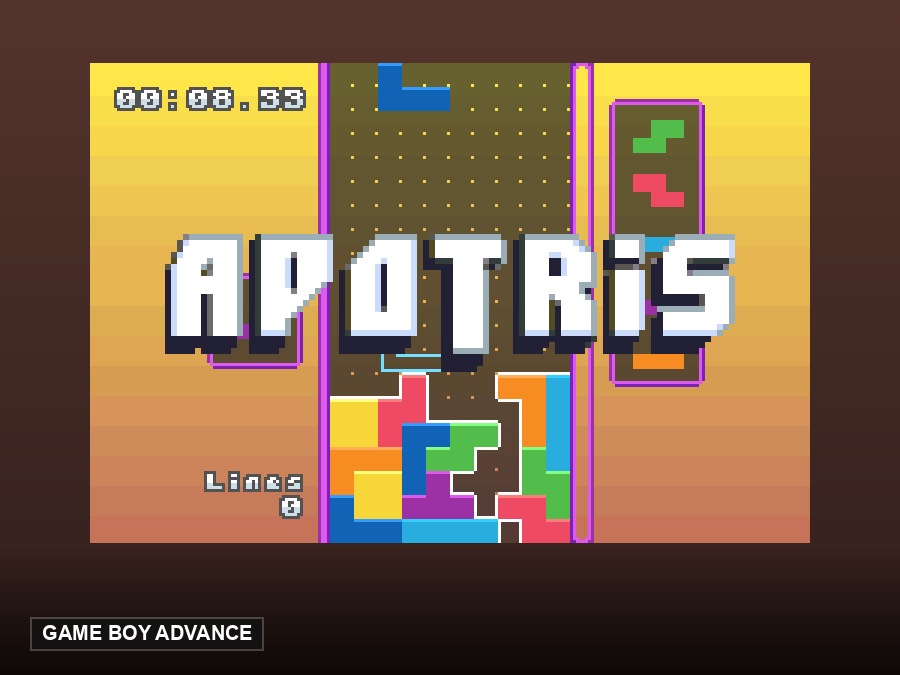
Yes — this game needs one, and we do not provide it. If you want games that need no files at all, this site hosts open-source homebrew titles that start in one click — try Apotris or µCity.
Is this the same as Pokémon Ruby or Sapphire?
No. Emerald is the definitive version of the same generation: both villain teams active, Rayquaza’s intervention, animated battle sprites, and the Battle Frontier on top. Ruby and Sapphire are the 2002 originals; Emerald is the 2004 cut that supersedes them for most players.
Do time-based events work in the emulator?
The emulator provides a clock, so berry growth and other time events tick; events tied to real-world calendar dates can differ from original hardware.
Can I trade with Ruby, Sapphire, FireRed or LeafGreen?
Only through the original link-cable features, which browser emulation does not provide. Treat it as a single-player experience.
Will my in-game save survive a browser restart?
It lives in the browser’s storage for that ROM file. Export your save states as backups — that habit keeps a hundred-hour file safe.
Where does the Battle Frontier unlock?
After you defeat the Pokémon League Champion. The Frontier Brains are a genuine step up from the Elite Four — that is by design.