About
Conway's Game of Life is the cellular automaton mathematician John Conway devised in 1970: every cell lives or dies by three simple rules about its neighbours, and from that simplicity emerges astonishing complexity — gliders, oscillators, spaceships. It's a zero-player game: you set a pattern and watch evolution unfold.
This port runs Life on original Game Boy hardware, released under the MIT license by xoxo_grease. The 160×144 dot-matrix grid turns out to be a perfect petri dish for cell generations.
Run it online free right here — the Game Boy core executes in your browser with no download, and the emulator's save states let you freeze any generation you want to keep.
Source & project page ↗
How to Play Conway's Game of Life on Game Boy
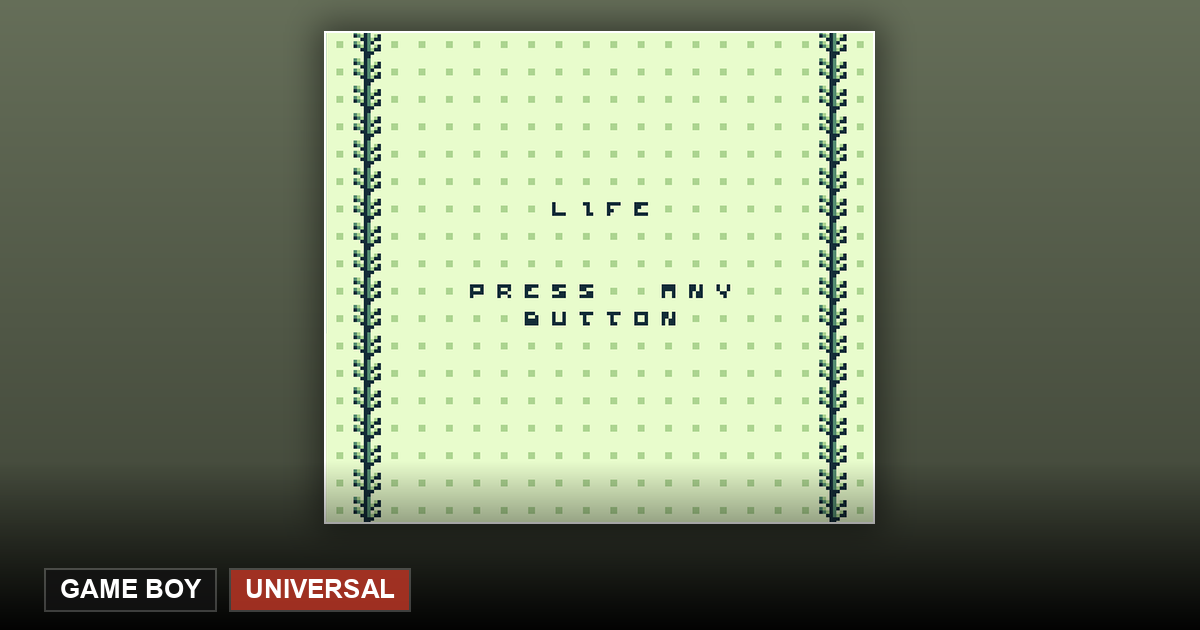
Conway's Game of Life is a zero-player game: there is no character to control — your role is "observer". The Game Boy version keeps the ritual simple: when the title screen appears, press any button, and the game seeds a random starting colony from your button press plus the elapsed clock. From there the cells evolve generation by generation under fixed rules, and you simply watch life and death play out across the 160×144 dot-matrix screen.
Want a different universe? Reload the page and start again — the timing of your button press changes the random seed, so no two boards evolve the same way. That is the game's whole "gameplay": every start opens a universe that has never existed before. Strictly speaking you can adjust exactly two things: the keypress at startup, which decides the starting board, and the emulator’s fast-forward, which decides how fast it evolves.
What to know when playing in the browser
Hit "Play now" on this page to run it free — no download needed. The first launch has to fetch the emulator core, so it takes longer than later ones; your browser caches it afterwards. Use the fast-forward option in the emulator menu to watch hundreds of generations in seconds, or a save state to freeze any generation you like.
The Three Rules of Conway's Game of Life
In 1970, British mathematician John Conway designed this cellular automaton: a grid where each cell is either alive or dead, and its fate each generation depends only on its eight neighbors. The rules are just three — underpopulation: a live cell with fewer than 2 live neighbors dies; survival: a live cell with 2 or 3 neighbors lives on; birth: a dead cell with exactly 3 neighbors comes to life. A live cell with more than 3 neighbors dies of overcrowding.
Simple enough to compute with pencil and paper, yet the behavior that emerges is endlessly rich — which is why Life has fascinated people for over half a century. It is proof that complexity can be born from simplicity.
Famous Patterns: Gliders, Oscillators and Spaceships
A few pattern families are easy to spot while you watch. The glider is a 5-cell cluster that moves one cell diagonally every 4 generations — the smallest "traveling life". Oscillators cycle between a few states like the heartbeat of the board. Spaceships are larger gliding structures that can cross the entire screen.
Most random boards "cool down" within a few hundred generations: a wave of early deaths, then a settle into stable objects, oscillators and the occasional glider drifting through. See if you can spot all three kinds before your board goes still.
Frequently Asked Questions
Is the Game of Life free to play?
Yes. life-gb is open-source software under the MIT license — the author allows free use and redistribution, and this site runs it directly in your browser. No download, no account.
What do I actually do in this game?
Almost nothing, and that's the point: press any button on the title screen to seed a random board, then simply observe. The fun is recognizing patterns, predicting which cells survive, and watching complexity emerge from three simple rules.
Is it even a game? There's no winning or losing.
It's closer to a simulation experiment. Life has no win or lose condition — the play is in observing and understanding, which is exactly why it's called a zero-player game.
Does it work on mobile?
Yes. Open this page in your phone's browser and tap "Play now" — virtual buttons appear automatically on the touchscreen. Tap any one to seed the board, then sit back and watch.
Can I save a colony mid-evolution?
Yes — use the save-state option in the emulator menu to freeze the current generation in your browser. Load it later and the evolution continues from exactly that point.