← Back to libraryGame BoyZlib
2048gb · Play Free Online
Sanqui
2048gb is a free Game Boy game you can play right in your browser — no download, no install, with save states, gamepad support and touch controls on mobile.
Play nowThe first launch downloads the emulator core — please wait a moment.
How to Play: Controls
Keyboard
| Game button | Keyboard key |
|---|
| D-Pad | ↑ ↓ ← → |
| A | Z |
| B | X |
| Start | Enter |
| Select | V |
These are the emulator's default bindings — remap them anytime in the emulator menu's control settings.
Gamepad
Plug in any USB or Bluetooth gamepad and play right away (Gamepad API) — no setup required.
Touch / Mobile
On phones and tablets a virtual gamepad (D-pad + A/B + Start/Select) appears automatically on the touchscreen.
The emulator menu also includes save states, fullscreen and fast-forward; your saves stay in this browser.
About
2048 is the sliding-tile puzzle that took over the world in 2014: press a direction and every tile slides at once, equal tiles merge, and the goal is to build the 2048 tile on a 4×4 grid. Ten seconds to learn, a long time to master.
This Game Boy port, 2048gb, was built by Sanqui and released under the permissive Zlib license, with the full source on GitHub. The four-shade dot-matrix screen suits the game surprisingly well — pure numbers, pure planning.
Hit "Play now" to play 2048gb online free — no download, no install. The Game Boy core runs right in your browser, with save states, gamepad support and touch controls on mobile.
Source & project page ↗
2048 on Game Boy: The Browser Tab That Became a Handheld Game
2048 is remembered as a browser tab — the thing you alt-tabbed into during lectures in 2014, swiped at for ninety seconds, and closed. That version was free, endless, and oddly disposable: an undo here, a leaderboard there, another tab always one click away. The Game Boy port, 2048gb, makes the opposite argument. Played on a four-shade screen with a D-pad and no undo button, 2048 stops being a distraction and becomes what it secretly always was: a strict, elegant strategy game about keeping order under pressure.
That's the case for playing it today. The rules haven't changed, and they don't need to — press a direction, every tile slides, equal tiles merge, build the 2048 tile on a 4×4 grid. What changes is the frame around the rules. On the Game Boy, every input is a deliberate, discrete press. There's no swipe-spamming your way out of a bad position, no undo to soften a mistake. You can play it here, free, in your browser — and it works on phones too.
What the First Ten Minutes Are Like
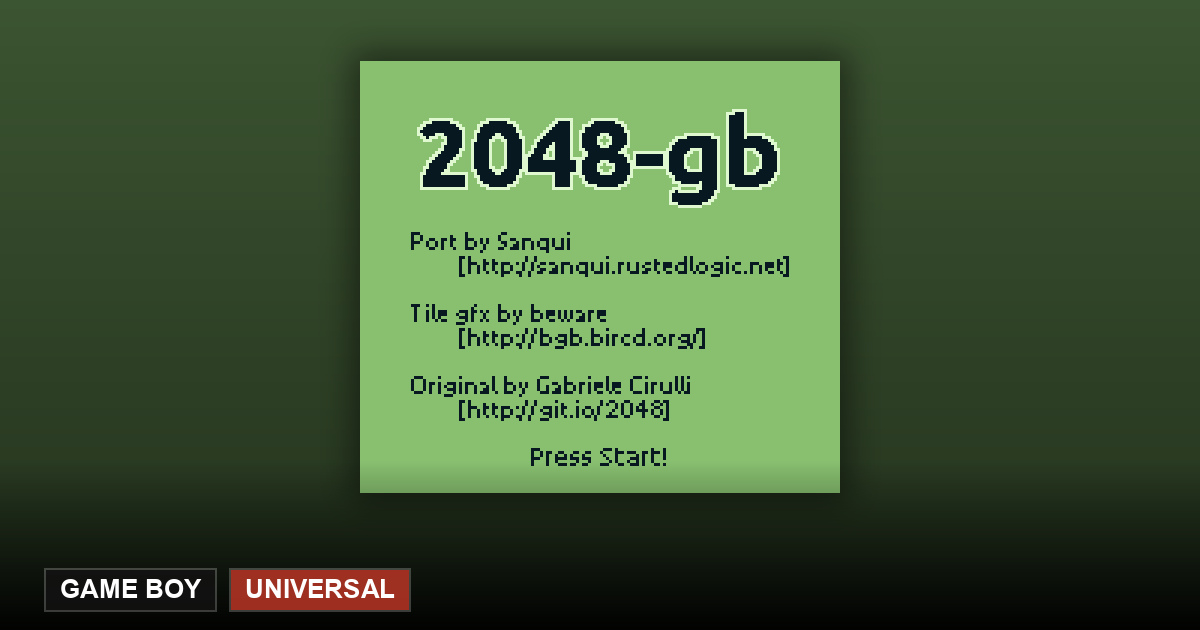
The game opens with the tile grid rendered in the Game Boy's four shades of gray, with tile art by beware — the developer behind the bgb emulator — so each value reads as a distinct pattern rather than a color. It takes about one round to adjust your eyes; after that, you stop noticing the palette at all and start reading the board the way you read a chess position.
The early game is roomy, almost seductive: few tiles, every direction fine, merges coming naturally. The discipline it's actually teaching — pin your biggest tile in one corner, build descending rows around it — feels optional. Then the board fills. Around the 512 tile the squeeze begins: every press that doesn't merge spawns a new tile anyway, and the free space you've been wasting becomes the resource you're fighting for. The difficulty curve isn't designed; it's emergent — the board punishes greed exactly as hard as timidity.
Where You'll Get Stuck
Two walls, both honest. The first is the 512-to-1024 stretch, where your corner strategy has to survive tiles spawning in exactly the wrong places, and you learn the difference between a board that's recoverable and one that's merely slow-motion lost. The second is psychological: the temptation to chase a merge that feels available right now instead of maintaining the structure that makes future merges possible. Every experienced player knows the specific heartbreak of breaking your own corner discipline for a 128 you didn't need.
On the Game Boy version there's no undo to bail you out of that mistake. In the browser you do have save states, and there's a real argument for not using them: the version of this game where a mistake costs you the run is the version where your hands shake at 1024.
Why the Game Boy Version Hits Different
The browser original was built for swipes and mouse-drags — fast, continuous input that lets you play faster than you think. The D-pad inverts that. Each press is a commitment, and the game's rhythm becomes turn-based in feel: read the board, decide, commit, watch the consequence. The same rules produce a noticeably more deliberate game, and for a puzzle about not making careless moves, that deliberateness is a feature.
The monochrome screen matters too. In the color versions, tile values are coded by color, which your brain can read passively. Here the tiles are patterns, and pattern recognition takes a few rounds to set in — after which you're reading the board more actively than you ever did in a browser tab. It's a small shift, but it's the difference between glancing and looking.
It's also worth being honest about what 2048 is, because the game itself is. Gabriele Cirulli, who wrote the original in a weekend in March 2014, described it plainly in his own README: "a small clone of 1024," based on Saming's 2048, indirectly inspired by Threes! — the commercial game that started the wave. 2048 won the internet anyway because it was free, open source, and perfectly tuned. The Game Boy port continues that chain of honesty: Sanqui's README calls it a "port (or, more precisely, clone)" — a fan work in the same open spirit, not a product pretending to be the original.
Playing It Here
On this site, 2048gb runs in your browser with the emulator's default keyboard mapping: the D-pad is the arrow keys — and that's the whole game, four directions — with A on Z, B on X, Start on Enter, and Select on V. A gamepad works instantly, and this is one of the few games where a physical D-pad genuinely changes the experience: each deliberate press is the game's entire rhythm. On a phone, a virtual D-pad appears on the touchscreen, and since the game needs exactly four inputs with no timing pressure, it's as close to a native mobile game as browser emulation gets.
Save states are the one modern luxury the original never had — and the one place you can decide how strict to be with yourself. A state before every risky move makes 2048 a practice tool; no states at all makes it the white-knuckle version. Saves stay in your browser — closing the tab loses nothing, clearing browser data resets the board.
2048gb lives in the Game Boy library — for the same screen in a different mood, GB-Wordyl is the Game Boy's take on Wordle, and uCity is the Color handheld's full city builder.
Where This Port Came From
2048gb was built by Sanqui (also known as Sanky) and released under the permissive Zlib license, with full source on GitHub. It's a genuine piece of Game Boy engineering: written in assembly and built with rgbds, the standard assembler toolchain for GB homebrew, with tile graphics contributed by beware. The project's own README recommends bgb and gambatte as emulators — the same family of cores that power the browser version on this site. As a game with no text to speak of, it's fully language-independent: the board speaks for itself in every country.
2048 Tips and Tricks
- Park your biggest tile in one corner (bottom-right, say) and build every move around that corner.
- Keep one full row or edge ordered from largest to smallest — merges stay clean when the hierarchy is intact.
- Avoid zig-zagging across three directions: every extra direction you use is another chance to knock the big tile out of its corner.
- Don't merge on sight — picture where the new spawn tiles will land before you commit to a slide.
- When the board gets crowded, hunt for chain merges: one slide that triggers several collisions frees a lot of space at once.
- Reaching 2048 is the passing grade — the real chase starts at 4096 and 8192.
Frequently Asked Questions
Does this game need me to bring my own ROM?
No — 2048gb is open-source homebrew (Zlib licensed), and everything in this collection loads and plays instantly in your browser. Our "bring your own ROM" feature is a separate thing, for people who already own commercial game files.
Is this the real 2048?
It's a faithful clone of the 2014 original — same grid, same merge rules, same goal — built for the Game Boy by an independent developer. The original itself was openly a clone of 1024.
How do I control it?
The D-pad slides all tiles in that direction: arrows on a keyboard, virtual D-pad on a phone. One press, one move.
Can I play it on my phone?
Yes — the browser version works on mobile, and since the game only needs four directions, the touchscreen controls are no compromise at all.
Will my progress save?
Yes, through the emulator's save-state system in the browser menu. Your state stays in your browser.
Is it free?
Yes — Zlib licensed, source code public, playable here with no account and no ads.