SNESMIT (project) + CC0/CC-BY 3.0 art
Pocket Bugs · Play Free Online
Eoin Jordan (SNES Studio)
Pocket Bugs is a free SNES game you can play right in your browser — no download, no install, with save states, gamepad support and touch controls on mobile.
Tested by us: the graphics display normally, but the controls don't respond on our end. We checked: the input does reach the emulator core — this game simply doesn't process input under our only available SNES core (snes9x). It's not your browser.
MIT (project); art CC0 / CC BY 3.0 — Eoin Jordan (SNES Studio) · artwork source all cover credits
Play nowThe first launch downloads the emulator core — please wait a moment.
About
Pocket Bugs is the flagship showcase game of SNES Studio, an open MIT-licensed project that builds real SNES ROMs from a scene/sprite/event model. This is the generated game rather than a mock-up: a 256 KB LoROM image that boots on hardware and in emulators.
The loop is catch-and-battle: garden bugs are caught in matchboxes, then pitted against each other in backyard tournaments. Creature sprites come from madameberry's CC0 Ambient Pixel Art Insects pack, with tilesets from CC-BY 3.0 OpenGameArt sources documented in the project's ASSET_SOURCES file.
Play Pocket Bugs online free — the SNES core runs in your browser, no download, with save states, gamepad support and touch controls on mobile.
Source & project page ↗
How to play Pocket Bugs: goal and contents
By its author’s README, Pocket Bugs is a “garden-bug battler”: kids catch bugs in the garden, keep them in matchboxes, and battle them in backyard tournaments. The engine presents a top-down overworld: walk with the D-pad, collide with the tilemap, advance dialogue with A. One thing to state up front: we are still investigating this title’s input behavior — the next section reports exactly what we measured.
- The designed goal: walk a top-down garden catching bugs and collecting them into matchboxes.
- Battles: backyard-tournament duels, per the author’s positioning.
- Status on this page: graphics load and scenes change normally; input after entering the game has a problem we are investigating (details below).
Your first minute
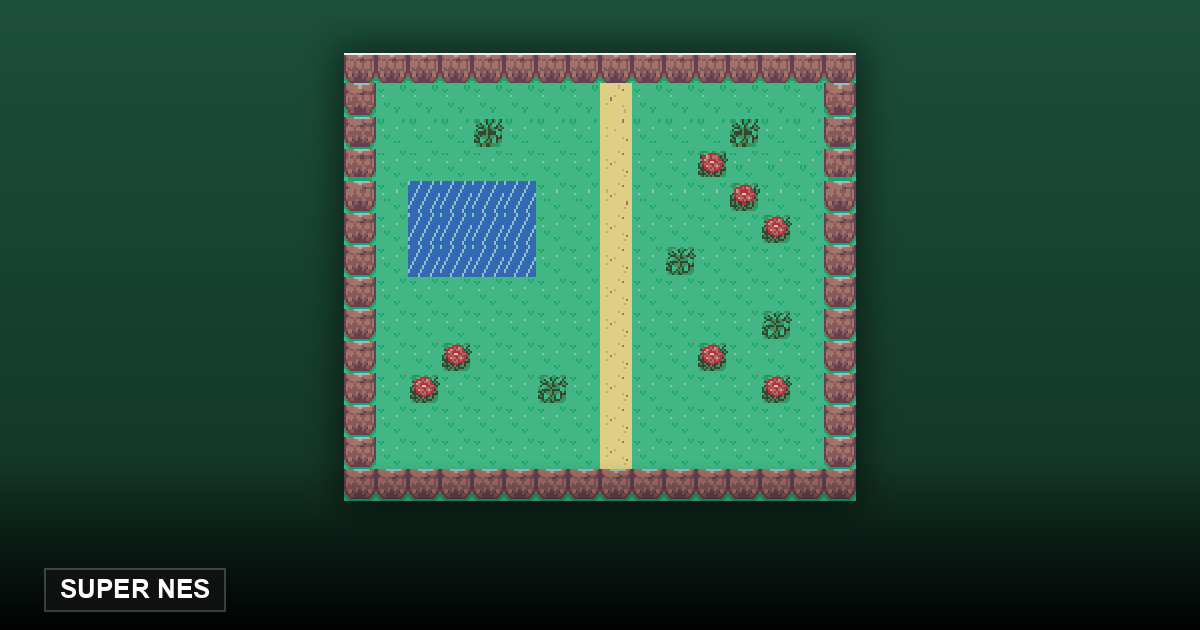
After Start, the game loads normally into a green garden scene with a line of text across the top (measured: a green palette filling the screen, a clear text band at the top). Pressing Enter triggers a large scene change — over six hundred grid cells changed at once in our measurement, so the engine is advancing scenes normally. After that point, in our testing, the D-pad and A/B buttons stopped responding after entering the game. We are investigating whether this is the game itself or our emulator setup.
What this game is
Pocket Bugs is a homebrew game for the SNES — by its author’s positioning, a “garden-bug battler” where kids catch bugs in matchboxes and duel in backyard tournaments. One line: the flagship sample of the SNES Studio engine, showing the full pipeline of “making a game on the SNES” with a complete top-down engine.
Who made it, and when
The author is Eoin Jordan. Rather than a hand-written-assembly one-off, it is the official sample of SNES Studio, an MIT-licensed open-source SNES development environment: the ROM is built by a Python script in the repository, on the PVSnesLib toolchain, at version v1.1.1. Every art asset comes from CC0 public-domain OpenGameArt contributions, and the repository’s ASSET_SOURCES.md records each source line by line — a standard of asset provenance rarely seen in homebrew.
What makes it special
Its value is less the game than how the game was made: a top-down overworld, tilemap collision, a dialogue system — every part a homebrew engine should have, with source code and asset sources fully public. For anyone learning SNES development it is a living textbook you can read from the Python build script all the way to the running picture; for the ordinary player it is closer to a runnable tech demo — and that is how we present it here.
Who it’s for — and who it isn’t
It’s for people curious about the SNES homebrew ecosystem: how an open toolchain produces a bootable ROM and how assets are assembled compliantly — this page is the artifact. It is not for someone who wants a complete game to play right now: until the input issue is traced, what you can actually play is limited, and this section will be updated once we resolve it.
Frequently Asked Questions
Is Pocket Bugs free?
Yes. It ships with the MIT-licensed open-source SNES Studio; this page runs it right in your browser, no download and no account.
Do I need to install an emulator or any software?
No. Emulation happens inside the page: no emulator, no browser extension, no plugin.
Are the buttons broken?
Both our automated test and our manual pass measured no response from the D-pad or A/B after entering the game, on two independent channels. We are investigating whether the cause is the game or our emulator setup, and this page will be updated once we know.
How much content does it have?
Per the author’s repository it is an engine sample (v1.1.1): the graphics and scenes are real, but measure it by sample standards, not commercial-game standards.
Where do its art assets come from?
All from CC0 public-domain OpenGameArt contributions; the repository’s ASSET_SOURCES.md documents every source line by line.